


Indigo - Features




Indigo Terminal Emulator is the premier terminal emulation software for the Windows platform. Indigo Terminal Emulator is a powerful terminal based communication software for telnet and serial terminal communications. Indigo offers many tools and features that are unmatched in other terminal software solutions. These features include the ability to display received data in multiple byte representation formats such as ASCII, DECIMAL, HEXADECIMAL, OCTAL, BINARY, or a user defined custom format. Indigo supports VT100 and Linux terminal emulation protocols as well as a raw data view for non-terminal emulation connections. Indigo supports scripting and simultaneous connected terminal sessions. Indigo is a complete replacement for TELNET and HYPERTERM ®.
If you would like to see a collection of screenshots of the Indigo Terminal Emulator software, please visit the Screenshots page.Communication Mediums
Indigo Standard Edution supports both RS232 serial and TCP/IP communication mediums.
Communication Protocols
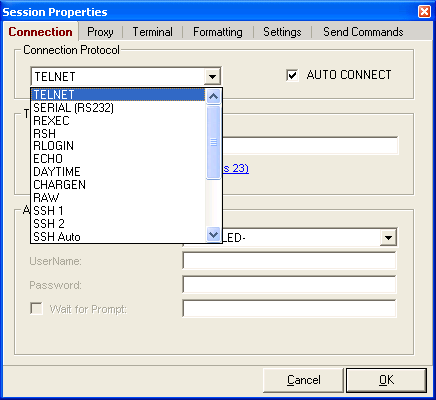 Indigo supports a full complement of terminal communication protocols including:
- Raw (pure ASCII, no protocol)
- Telnet
- SSH1
- SSH2
- SSH AUTO (Auto negotiation
between SSH1 and SSH2) - RSH
- RLOGIN
- ECHO
- DAYTIME
- CHARGEN
Terminal Emulation
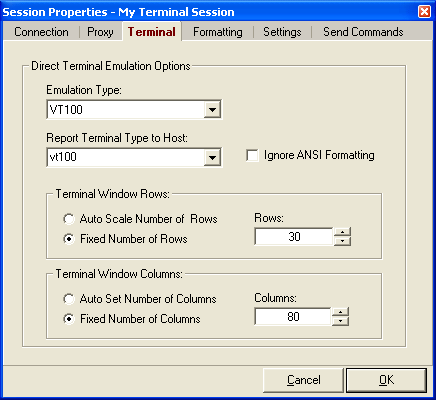 Indigo supports the following terminal emulation protocols:
- VT100
- LINUX
- NONE (Raw, no terminal emulation)
Multisession IDE
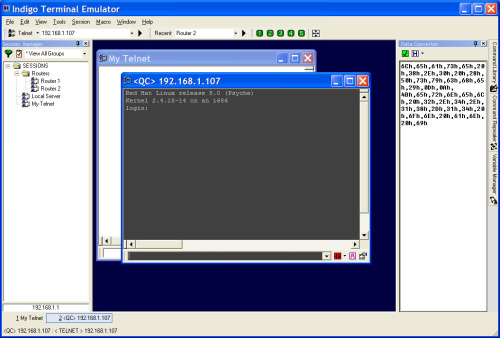 Each terminal connection in Indigo is stored and managed as an Indigo session. Indigo supports a multiple document interface (MDI), which means that you to open as many concurrent sessions as you like (system resources pemitting). Each session is opened in a new session window. Indigo provides the ability to minimize, maximize, tile, cascade vertically, and cascade horizontally the open session windows.
Simultaneous Program Instances
Indigo does allow simultaneous instances running cuncurrently on your system. This can be especially helpful if you have a multi-monitor configuration and you want to run a separate instance of Indigo on more than one screen.
Quick Connect Toolbar
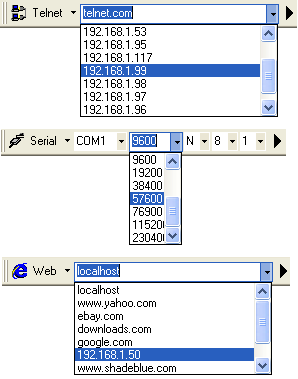 If you need to quickly create an Ad-Hoc connection to a telnet or serial host, Indigio provides a quick-connect toolbar where you can enter the basic connection information and connect immediately to the host without having to create a persisted session instance in Indigo.
The recently used quick-connect host addresses are remembered by Indigo in case you want to re-establish a quick-connect sesssion later.
Session Management
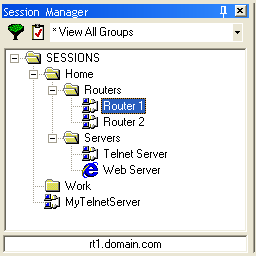 Indigo contains an easy to navigate session manager dockable tool widget. The session manager organizes and provides quick access for all saved Indigo sessions. All sessions settings and preferences are stored each session file. The terminal sessions are grouped and displayed in the session manger tool widget.
Data Conversion
Indigo provides two data converting features. First, in each terminal session, you can select which data display format you perfer to display received data. Second, a data converter tool widget allows you to highlight data in a terminal session window or drag and drop ASCII data into the tool window to convert the data to the desired data display conversion format on-the-fly.
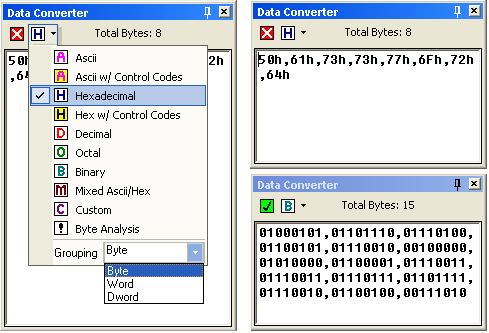 Indigo supports the following conversion formats:
- ASCII
- ASCII w/ Control Codes
- HEXADECIMAL
- HEX w/ Control Codes
- OCTAL
- BINARY
- Byte Analysis
(a combination of ASCII, DEC, OCT, and BIN) - User custom defined display data format.
User Custom Data Conversion Editor
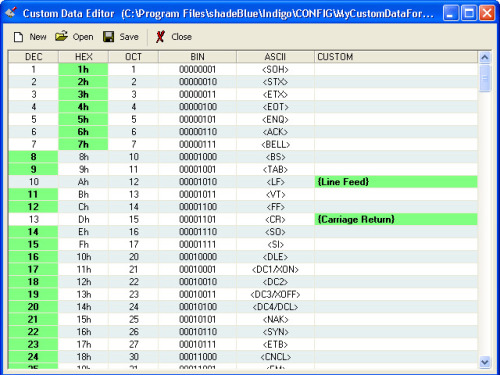 Do you need a way to render customized display characters for data received?
Indigo provides a user customizable data formatting editor enabling you to define what gets displayed for each data byte received. You can pick from one of the standardized output types such as DEC or HEX or define your own custom display string.
Data Logging
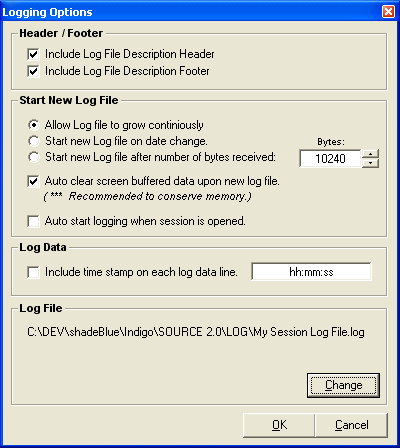
Indigo includes a very robust logging infrstructure allowing each terminal session to record received data directly to log files. Each terminal session maintains it's own discrete log file and log file settings. Indigo provides a wide variety of logging options useful for long term and short term data logging. These features include constraining log file sizes, automatically rolling over to new log files based on file size or based on date change, and appending time stamps on received data in the log record.
Command Macros
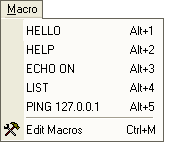 Indigo provides a command macros feature that allows you to store frequently used terminal session commands as menu items and hot keys. This allows these frequently used commands to be quickly and convienantly accessed using the main pull down menu, using the macro toolbar buttons, or by pressing a keyboard hot key combination.
Command Libraries
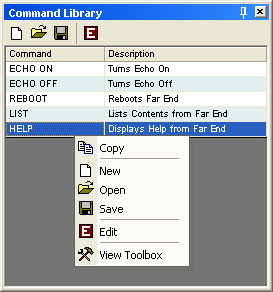 The command library is a dockable tool widget that like the macros feature allows terminal commands to be convienantly saved and accessed, but its focus is on storing and managing collections of commands in library files and the ability to swap out the collection of commands based on current task or needs. To execute commands listed in the command library you can drag-and-drop to the terminal command window or simply double-click the command item from the listing. Command library files can be shared across teams to quickly propgate collections of commonly used command sets.
Variable Libraries
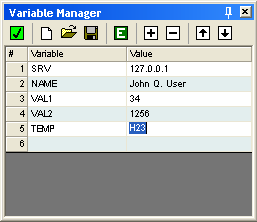 The variable manager is a dockable tool widget that allows you to define and recall variables for use with terminal send commands. When a command is transmitted to the terminal session, any detected variable tokens are replaced with the actual variable values from the variable library listing. Variable tokens can be used when manually typing commands, in command macros, command library commands, and command repeater commands. Variables can be very useful especially when you have a set of commands that you reuse frequently but have one or more parts of the command string that you frequently need to adjust/modify. Just like command libraries, variables are also stored as library files and can be swapped out and shared with others.
Command Repeater
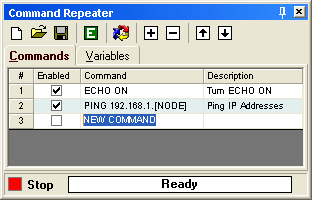 The command repeater is a dockable tool widget that is somewhat of a hybrid between the variable manager widget and the command library widget. However, this tool has one main focus and that is automated command repetition. This tool allows you to populate a list of commands and variables that can be set to repeat at defined time delay intervals. The variables can also be manipulated mathematically on each command execution cycle if needed. This tool is particularly useful for automating the testing of certain devices and/or equipment. Both existing command library files and variable library files can be imported into the command repeater's listings.
Serial Pass Mode
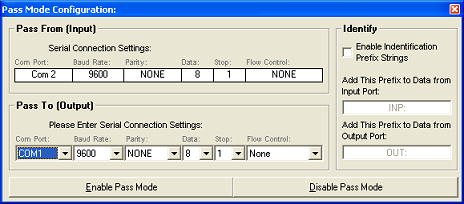
Serial pass mode allows you to create a serial session that bridges two physical com ports on the computer and allows you to monitor all data transfer between the two connections. This is essentially a serial data "sniffer" with Indigo in the middle listening to the serial bi-directional serial data traffic.
Line Numbering & Split Windows
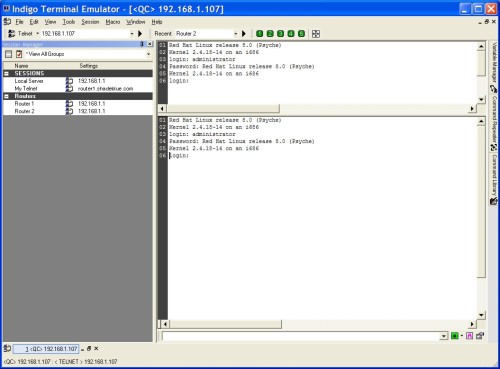 Line numbering can be enabled in each Indigo terminal session window.
Session windows also support split-views where you can split the window to preview two different sections of the received data in the same session window. This can be very useful when you need to maintain some previous pointer to data to analyze while new data is streaming in the other slit window pane.
Syntax Text Coloring
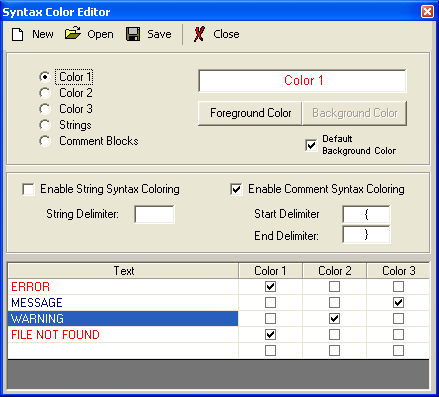 Syntax text coloring can be defined for text that you want to stand out in the terminal data window. The syntax text coloring will color all user-defined data strings in the terminal session data window. For example, you can display the text "ERROR" in red so that it is easily identifiable in the terminal session data.
ASCII Reference Charts
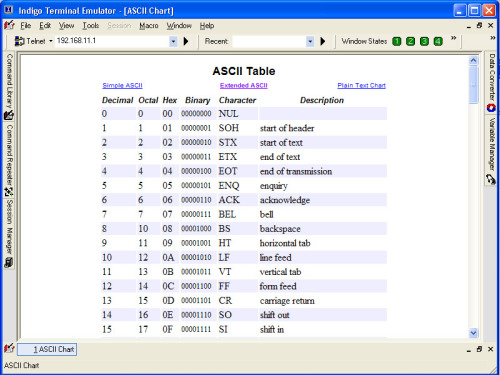 Indigo provides for your convienance, a set of ASCII reference charts that list the ASCII bytes with alternate data representations for each byte. You can press the 'F12' key at any time to reveal the ASCII charts.
Software Web Update
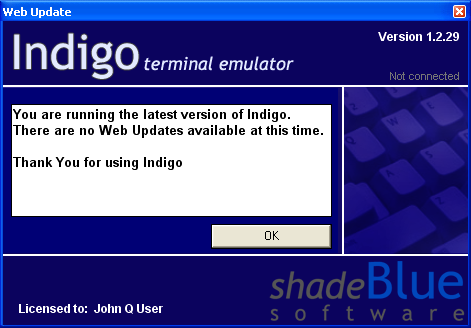 Indigo supports a Web Update feature that will determine if a newer version of the software is available and if so, download it for you and launch the update installer. The web update feaure allows you to choose between production release versions and BETA versions of the software.
Integrated Web Browser
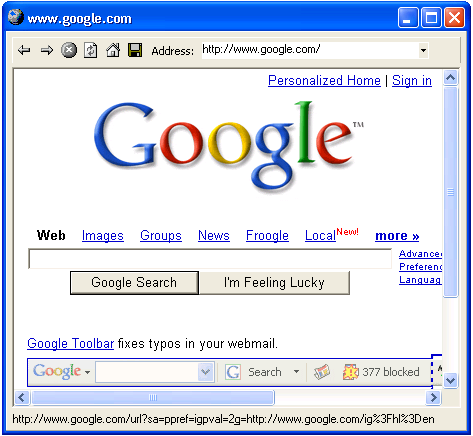 Indigo provides an integrated web browser for previewing/surfing web pages. This web browser is built in for convenience and is treated like all other session windows which can be minimized, maximized, tiled, or cascaded. This integrated browser is based on Microsoft Internet Explorer technology. Web based session links can be stored in the Session Manager.
Many more features ...
Indigo has way too many features to list them all here. If you would like to learn more, you may want to visit Indigo Screenshots and Indigo Help File.
There are also many new features recently added to the product, please click here for information to see what's new in Indigo Version 3.